Coverage, URA & Cost Review SOLO+
Goal: Generate Unit Rate Analyses for every matched item in a scenario at scale, then review and correct the results before pricing your bid.
You'll need:
- A scenario with matched BOQ items — see Your First Priced BOQ.
- An active Resource Price Book — see Setting Up Your Price Book. Coverage Analysis requires one.
Step 1 — Run Coverage Analysis and seed templates
- In Scenario Studio, click Coverage in the toolbar.
- If a previous analysis exists, choose Use Previous Results or Re-run Fresh.
Coverage groups your BOQ items into work-type clusters and checks which already have a matching template.
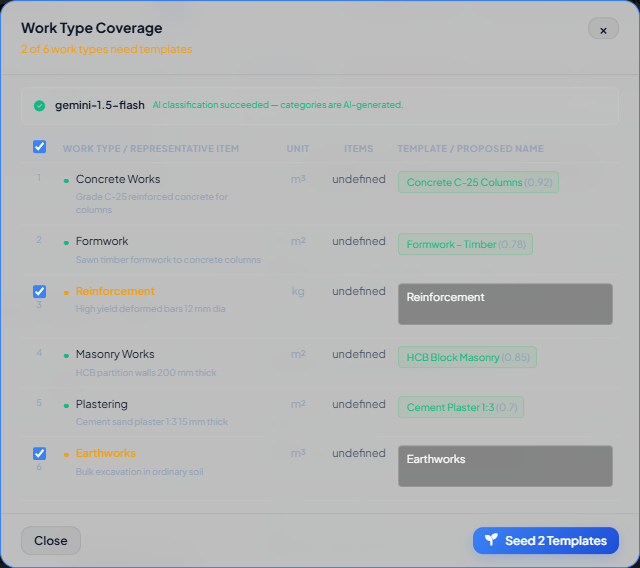
- For each uncovered (unchecked/amber) work type, review the proposed template name — edit it if it's ambiguous.
- Leave the boxes checked for the work types you want to seed now.
- Click Seed Templates.
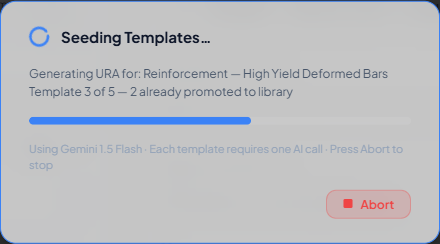
Each seeded work type generates one URA via AI and promotes it to the Template Library. When it finishes, previously uncovered rows turn green.
Step 2 — Run Batch URA
- Click Batch URA in the scenario toolbar.
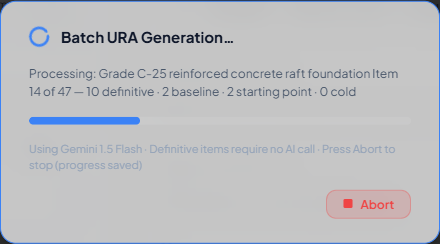
Every matched item without a URA is processed automatically — items with a definitive template link need no AI call at all; the rest are AI-adapted from the closest template or generated cold if nothing matches. You can abort at any time; completed items are saved and only the remainder reprocess on the next run.
Step 3 — Review and correct URAs
Open each item's URA (from Scenario Studio or the Unit Rate Analysis page) and check:
- The Matched Rate line for a variance figure — a gap over ~15% is worth investigating.
- Any resource row with an
~(fuzzy match) or⚠(unmatched, rate = 0) badge — fix these in the price book or override the row directly. - The Daily Output field — confirm it's realistic for the item; it drives every cost in the breakdown.
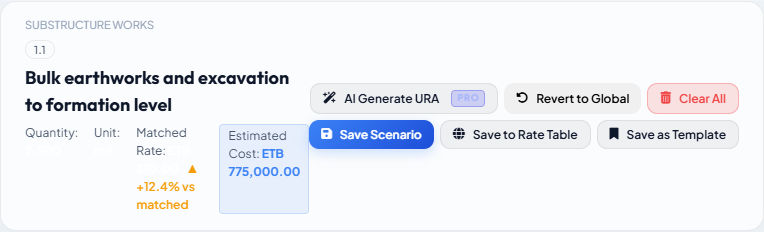
Edit quantities, crew, or waste factors as needed, then click Save Scenario to keep the correction local to this scenario, or Save to Rate Table to push it back to the standard rate table for every scenario using that rate.
What you should see
Every matched item has a URA (the item list shows a URA badge on each row), no ⚠ unmatched-resource badges remain unaddressed, and variances against matched rates are explainable rather than alarming.
If something's wrong
| Symptom | Where to look |
|---|---|
| Coverage says a price book is required | Setting Up Your Price Book — set active |
| Batch URA produces mostly "Cold" items with no template reference | Troubleshooting — Batch URA generates Cold every time |
| A resource stays unmatched after adding it to the price book | Re-run this item's generation, or edit the row directly — URA Analysis — Manual |
| Large, unexplained variance against the matched rate | URA Analysis — Manual — the workspace toolbar |