Setting Up Your Price Book
Goal: Import a clean, active Resource Price Book so URA generation has real material, labour, and equipment rates to draw from.
You'll need:
- A resource price book file — Google Sheet or local
.xlsx/.xlsworkbook (.csvisn't accepted here — one sheet can't hold three tabs) — with separate tabs for Equipment, Labor, and Material (you don't need all three). See Appendix E — Accepted File Formats for the exact column requirements per tab. - A scenario already created to attach the price book to. See Your First Priced BOQ if you don't have one yet.
Step 1 — Import your price book
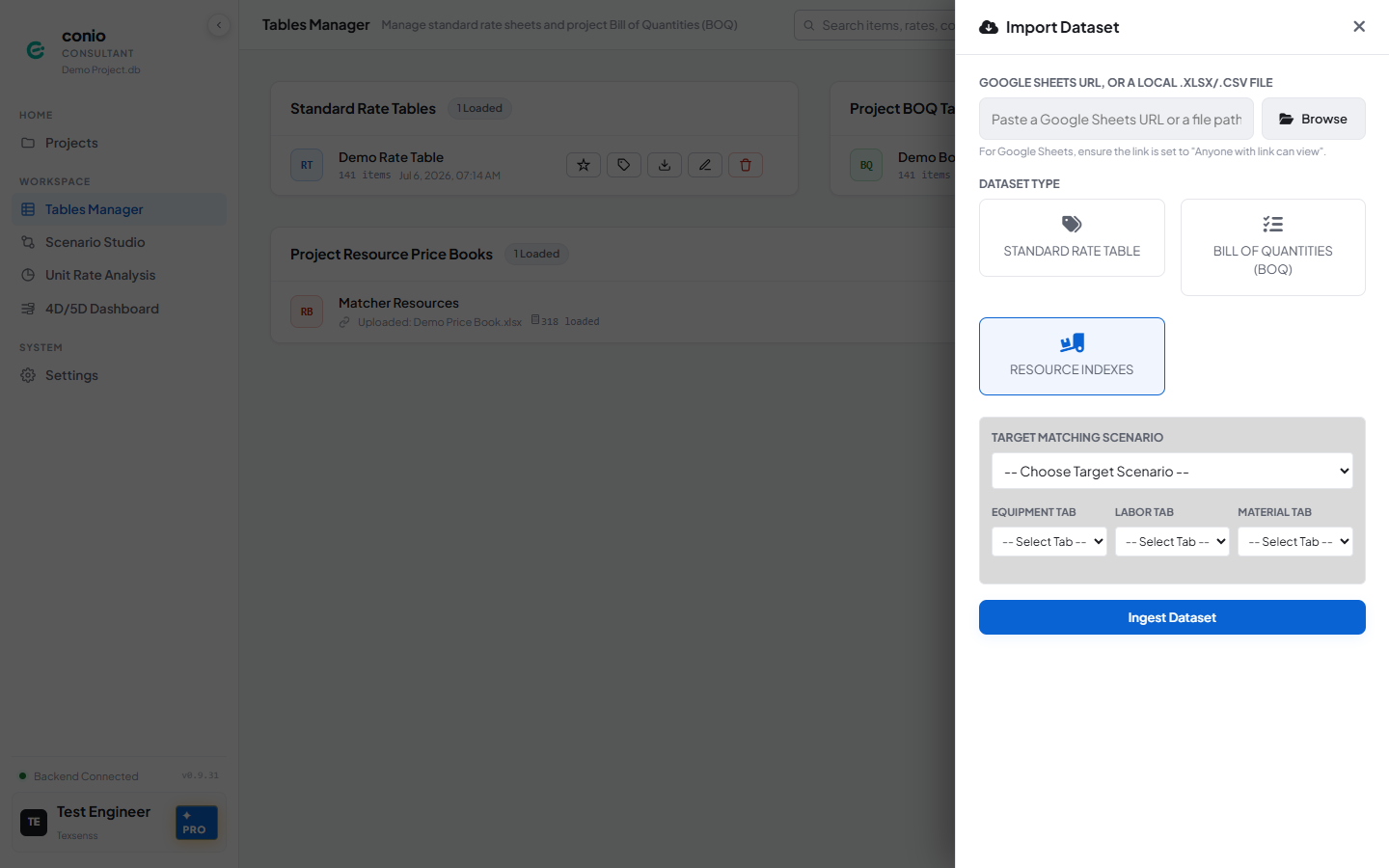
- Go to Table Manager and click Import Datasets.
- Provide the source — paste a Google Sheets URL, or click Browse for a local file.
- Under Dataset Type, select Resource Indexes.
- Under Target Matching Scenario, choose the scenario this price book belongs to.
- Map Equipment Tab, Labor Tab, and Material Tab to the corresponding sheet tabs (leave any you don't have as -- Select Tab --).
- Click Ingest Dataset.
Step 2 — Set it as the active price book
If this is your only price book, it's active automatically. If you have more than one:
- In Project Resource Price Books, find the card for the book you want.
- Click Set Active (star icon) — this only appears on price books that aren't already active.
The active card shows an In use pill. URA generation and Coverage Analysis both require an active price book.
Step 3 — Check integrity and resolve duplicates
- On the price book's card, click Preview.
- Click Check Integrity.
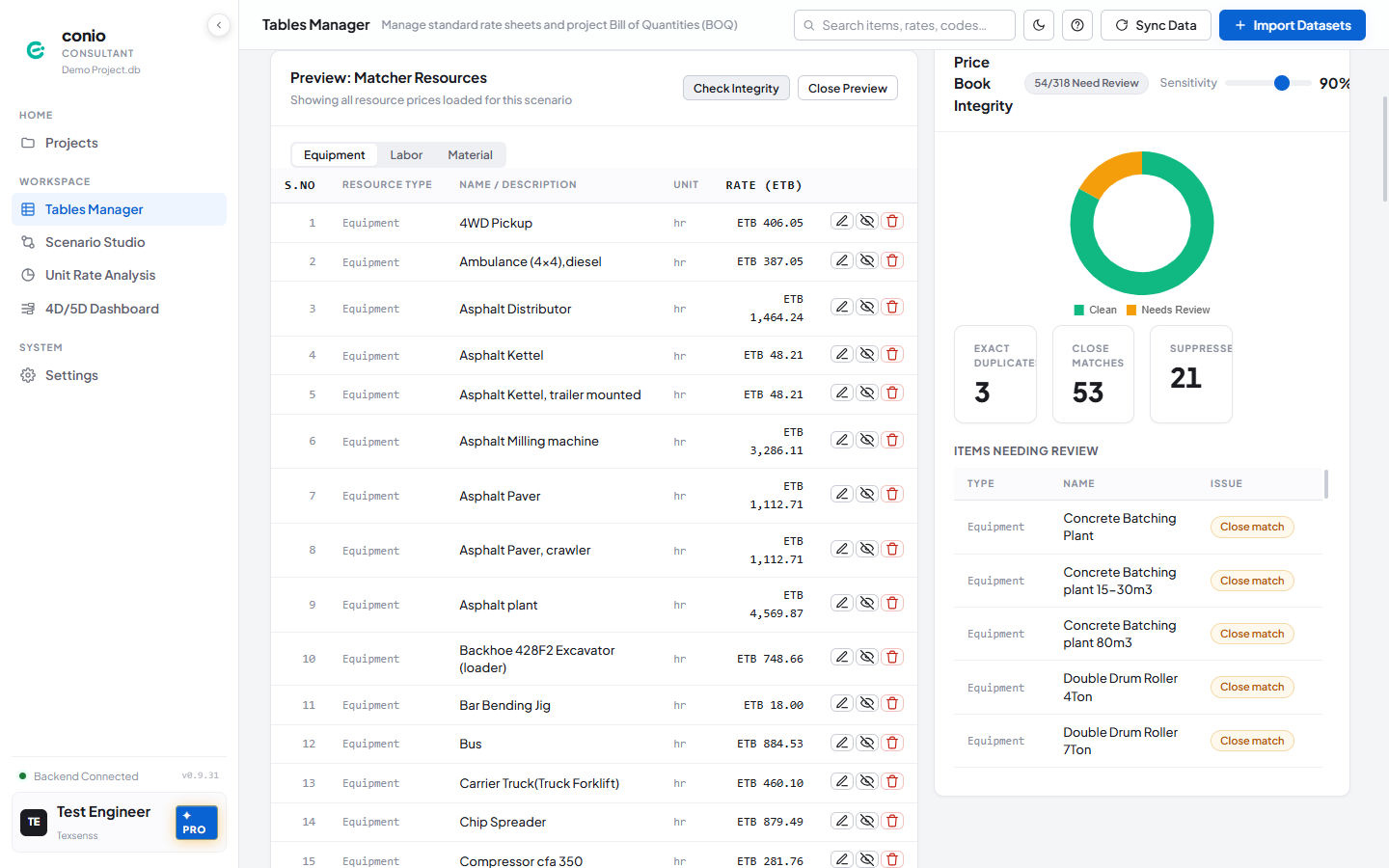
- Review the Items Needing Review list — each row is tagged Duplicate (identical name) or Close match (similar wording).
- For each flagged item, on its row in the resource list:
- Click Suppress if you're not sure it's a true duplicate — this excludes it from matching/analysis without deleting it.
- Click Remove if it's a confirmed duplicate.
- Click Check Integrity again to confirm the counts dropped.
What you should see
The price book card shows an In use pill, and the integrity check's Needs Review count is at or near zero — either genuinely clean, or the remaining items have been suppressed or removed.
If something's wrong
| Symptom | Where to look |
|---|---|
| Two clearly different resources (e.g. different grades) got flagged together | Resource Price Book — grade suffixes are not duplicates — check your naming isn't ambiguous beyond the grade suffix |
| Coverage Analysis says a price book is required, even though you imported one | Confirm it shows In use — see Step 2 above |
A resource still shows ⚠ unmatched in a generated URA | Resource match confidence |