Refine Selection — Targeted AI Re-sequencing SOLO+
A full AI Schedule run re-infers predecessors across the entire scenario. Most of the time that is exactly what you want — but if only a handful of tasks came out amber, or a single section needs a second pass after you fixed the BOQ, re-running the whole project is slower than it needs to be and can disturb sections that were already fine.
Refine Selection re-runs AI inference on just the tasks you pick. Nothing outside the selection is touched, apart from a single boundary link that reconnects your selection back into the surrounding schedule.
Selecting tasks
- Ctrl+Click (or Cmd+Click on Mac) task bars in the Gantt to build a multi-selection. Each selected bar gets a numbered badge (①②③…) and a coloured outline — yellow in dark theme, black in light theme.
- Ctrl+Click a selected bar again to remove it from the selection.
- Selecting a whole section at once: Ctrl+Click a summary (WBS heading) bar to select every leaf task beneath it in a single action, including tasks under any nested sub-headings. This is the fastest way to target a whole trade or section for re-sequencing without clicking every task individually.
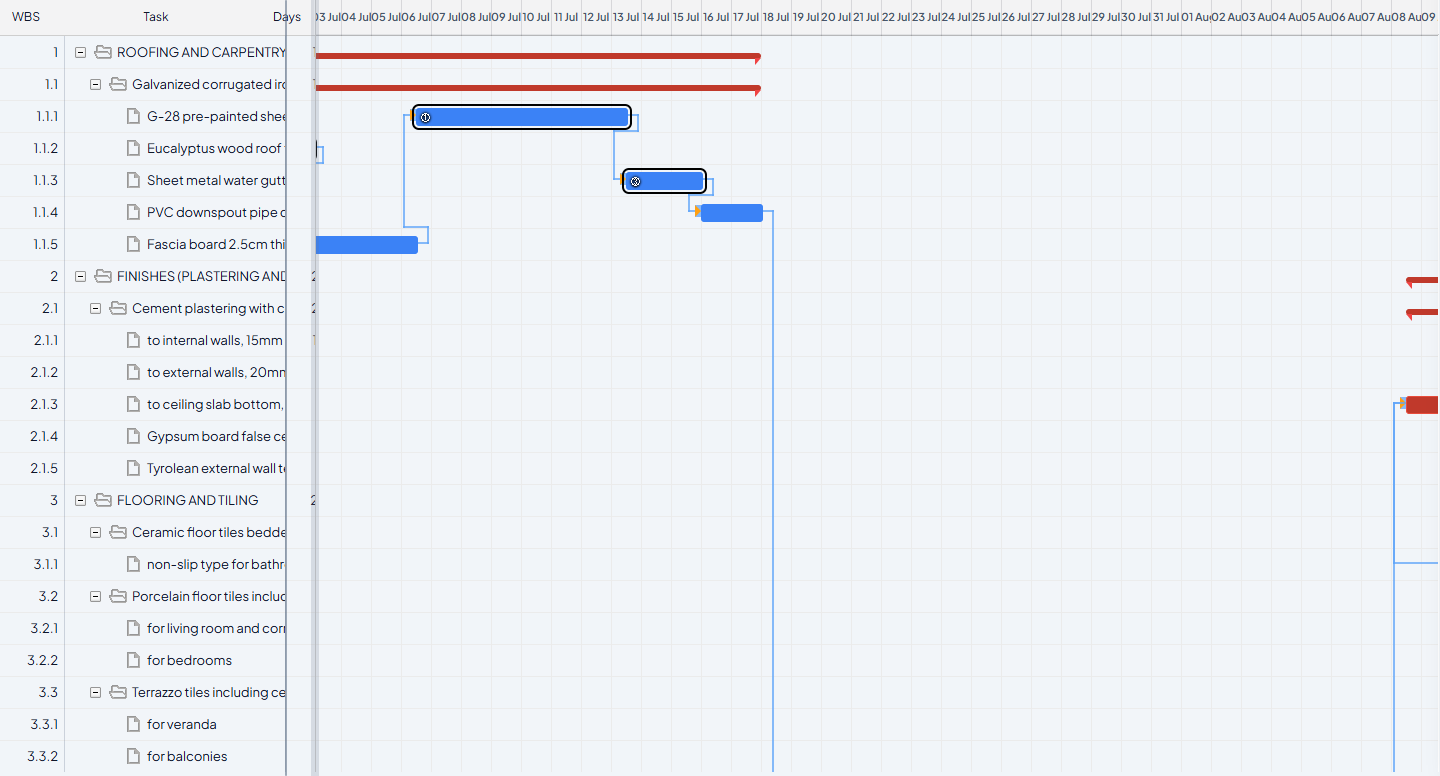
Selecting a summary task and its children, then running Refine Selection, is the quickest way to re-sequence one problem section without touching the rest of a large programme.
Opening Refine Selection
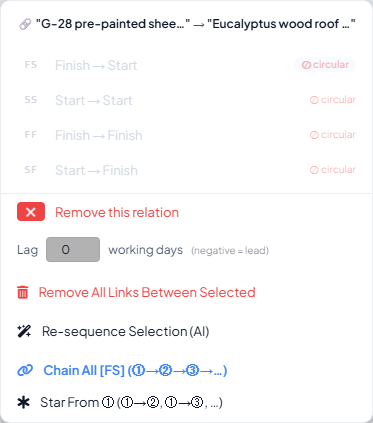
Once 2 or more tasks are selected, right-click any one of them. The familiar link context menu opens — pairwise link-type options at the top, plus footer actions. Alongside the existing Chain All and Star From shortcuts (see Manual Adjustments), the footer now includes:
- Re-sequence Selection (AI) — opens the scoped AI Scheduler described below.
The scoped AI Scheduler
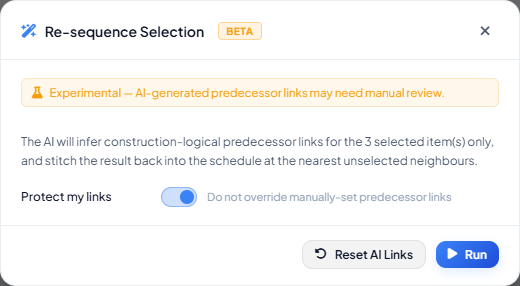
Clicking Re-sequence Selection (AI) opens the same AI Scheduler dialog used for full-project runs, but scoped to just your selection. The controls that only make sense for a whole project are hidden — max iterations, accept threshold, phase grouping, and the mini S-curve chart all disappear, since none of them apply to a handful of tasks.
What stays:
| Control | What it does in scoped mode |
|---|---|
| Protect my links | Same behaviour as a full run — on by default. Items in the selection with a manual predecessor are skipped by AI inference (but still shown to the AI as context), so your manual fixes are never silently overwritten. |
| Reset AI Links | Clears AI-inferred predecessors for only the selected items, not the whole scenario. Use this to retry a selection with a different Protect my links setting, without disturbing AI links elsewhere in the schedule. |
| Run | Makes one inference call covering just the selection and writes the result immediately — there is no iteration loop or S-curve scoring to wait for. |
How the result reconnects to the rest of the schedule
Refine Selection does not just sequence the tasks inside your selection — it also stitches that result back into the surrounding programme automatically:
- The nearest task before your selection in BOQ order becomes the predecessor of the selection's first inferred task.
- The nearest task after your selection in BOQ order gets its predecessor rewritten to point at the selection's last inferred task.
You do not need to manually re-link either boundary. If your selection spans more than one WBS section, each section's items are sequenced separately and the sub-results are stitched together in BOQ order before the whole group is reconnected to its neighbours.
Only the selected tasks and that one boundary successor are ever modified. Every other task in the scenario — including tasks in other sections — is left exactly as it was.
When to use Refine Selection vs. a full AI Schedule run
| Situation | Use |
|---|---|
| First pass on a new or freshly-matched scenario | Full AI Schedule |
| A handful of tasks are flagged amber after a full run | Refine Selection on just those tasks |
| One section's sequencing looks wrong after you edited the BOQ, rest of schedule is fine | Refine Selection on that section (Ctrl+Click its heading) |
| You changed the overall WBS structure significantly | Full AI Schedule — a targeted refine cannot repair cross-section logic outside its own boundary links |