Improving Match Accuracy SOLO+
Goal: Raise the match rate and match confidence on a scenario where too many items are still unmatched or approved at a low score.
You'll need:
- A scenario with a BOQ and rate table already matched at least once — see Your First Priced BOQ if you haven't run Match All yet.
- A Pro license active. See Licensing if you haven't activated one.
Step 1 — Improve your BOQ's matching signal
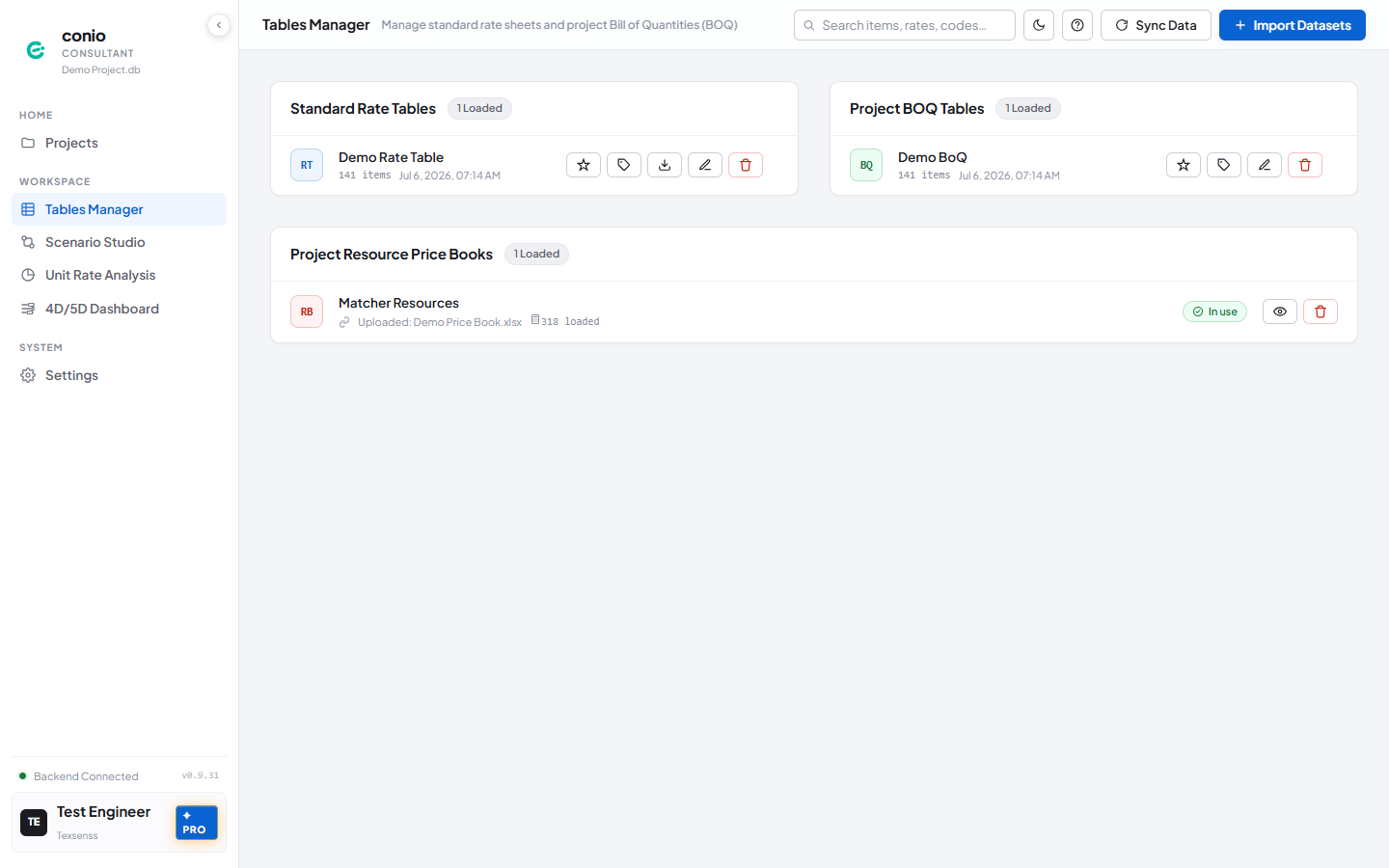
- Go to Table Manager.
- On your BOQ table's card, choose one:
- Click ✦ AI Refine for a full pass — cleans descriptions and extracts keywords/facets. Recommended first.
- Or click the tag icon (Generate keyword index without refining descriptions) if you don't want your original descriptions rewritten, just the keywords/facets.
- Wait for the progress modal to finish. An Indexed badge (and, for AI Refine, updated flagged-item counts) confirms it worked.
Step 2 — Tune the Matcher Scoring Profile
- Open Scenario Studio and select your scenario.
- Expand Matcher Weight Tuning in the left sidebar.
- Under Scoring Mode, pick the preset that matches your rate table's shape: Flat rate table (single-level rate items, no headings) or Hierarchical table (rate items grouped under headings, like your BOQ).
- Optionally adjust the Leaf / Ancestor / Spec sliders — for example, raise Ancestor Context Overlap if your rate table's headings carry most of the distinguishing detail.
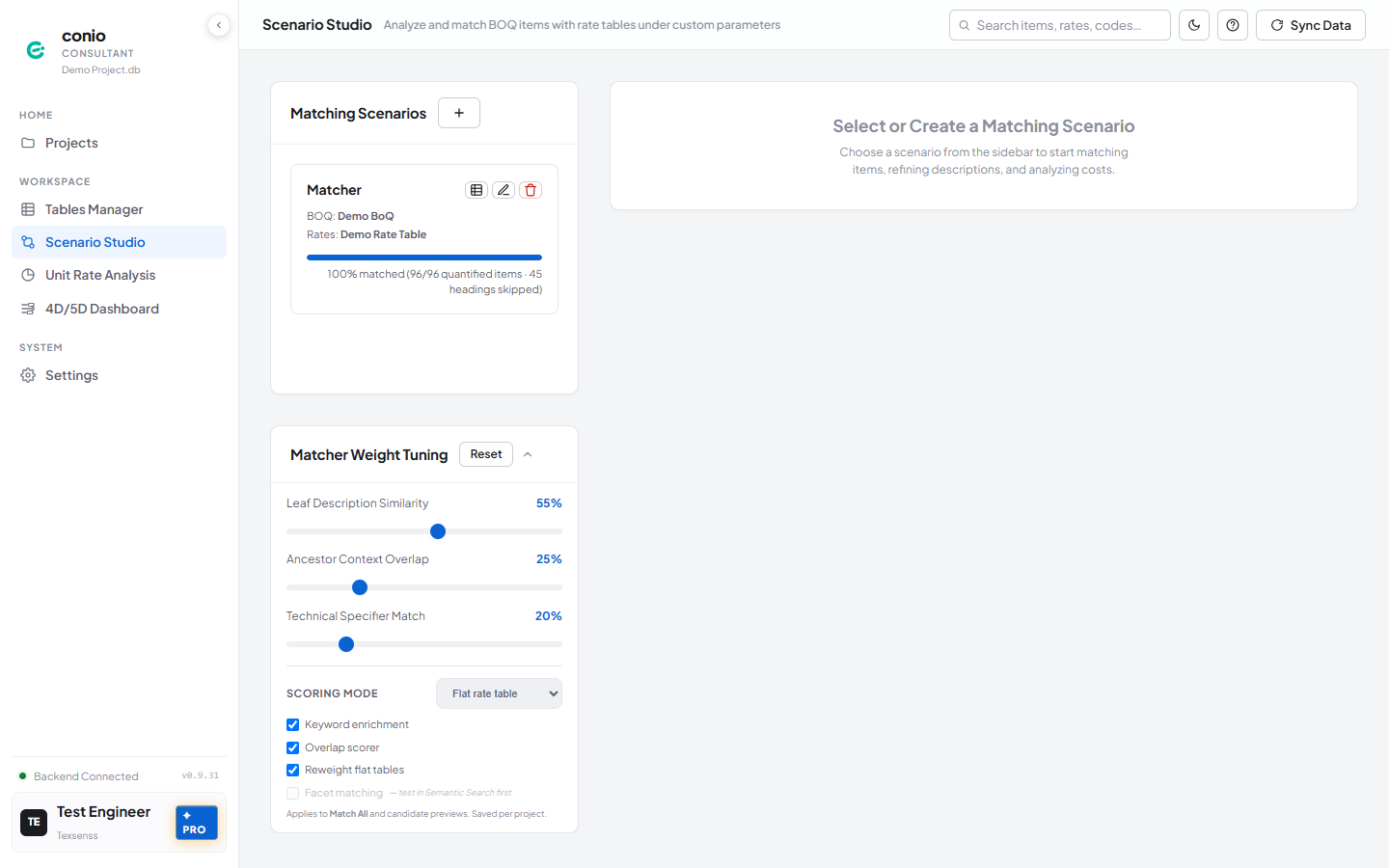
Changes save automatically — there is no Save button.
Step 3 — Re-run Match All
- Click Match All in the scenario toolbar again.
Only unmatched and auto-matched items are reprocessed — items you've already approved or set to manual are skipped, so nothing you've confirmed gets overwritten.
What you should see
Fewer unmatched items than before, and candidates for previously-unmatched items now score higher. The scenario's match percentage in the toolbar increases.
If something's wrong
| Symptom | Where to look |
|---|---|
| Match % barely changed after tuning | Confirm Step 1 actually ran — weight tuning has little effect if keywords/facets were never generated. See AI Refine. |
| Facet matching checkbox stays greyed out | Troubleshooting — Facet matching flag is greyed out |
| A specific item still won't match well | Semantic Search — test that item's description directly against the rate table |